Examples for using the qgraf feature of FeynGame

This webpage provides copyable code examples that illustrate the feature of FeynGame to visualize qgraf output. It supplements the paper

Click the "Copy" button to easily copy and paste the code into the FeynGame canvas.

*--#[ d1:
*
     1
    *vx(E(2),e(-1),ph(1))
    *vx(E(-3),e(3),ph(1))
    *vx(E(4),e(2),ph(-2))
    *vx(E(3),e(4),ph(-4))
*
*--#] d1:
qgraf output file for a one-loop diagram based on the form.sty style file, corresponding to Listing 1 in arXiv:2501.04651. Pasting it into the FeynGame canvas should result in a diagram as shown on the right.
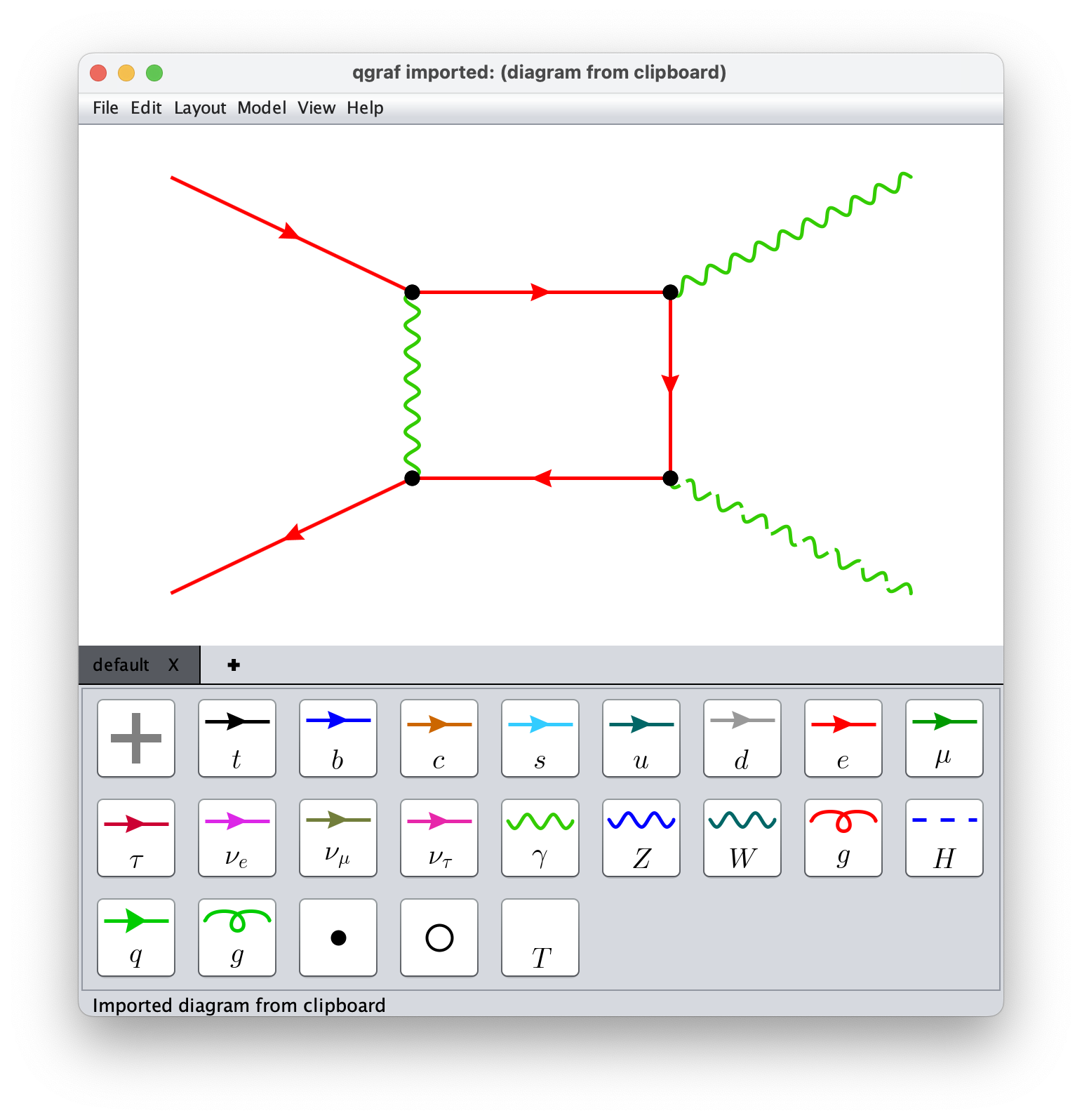
One-loop diagram
*--#[ d10:
*
     -1
    *vx(E(1),e(-1),ph(2))
    *vx(E(-3),e(1),ph(3))
    *vx(E(5),e(4),ph(-2))
    *vx(E(4),e(6),ph(-4))
    *vx(E(7),e(5),ph(2))
    *vx(E(6),e(7),ph(3))
*
*--#] d10:
qgraf output for a two-loop diagram based on the form.sty style file, corresponding to Listing 2 in arXiv:2501.04651. Pasting it into the FeynGame canvas should result in a diagram as shown on the right.
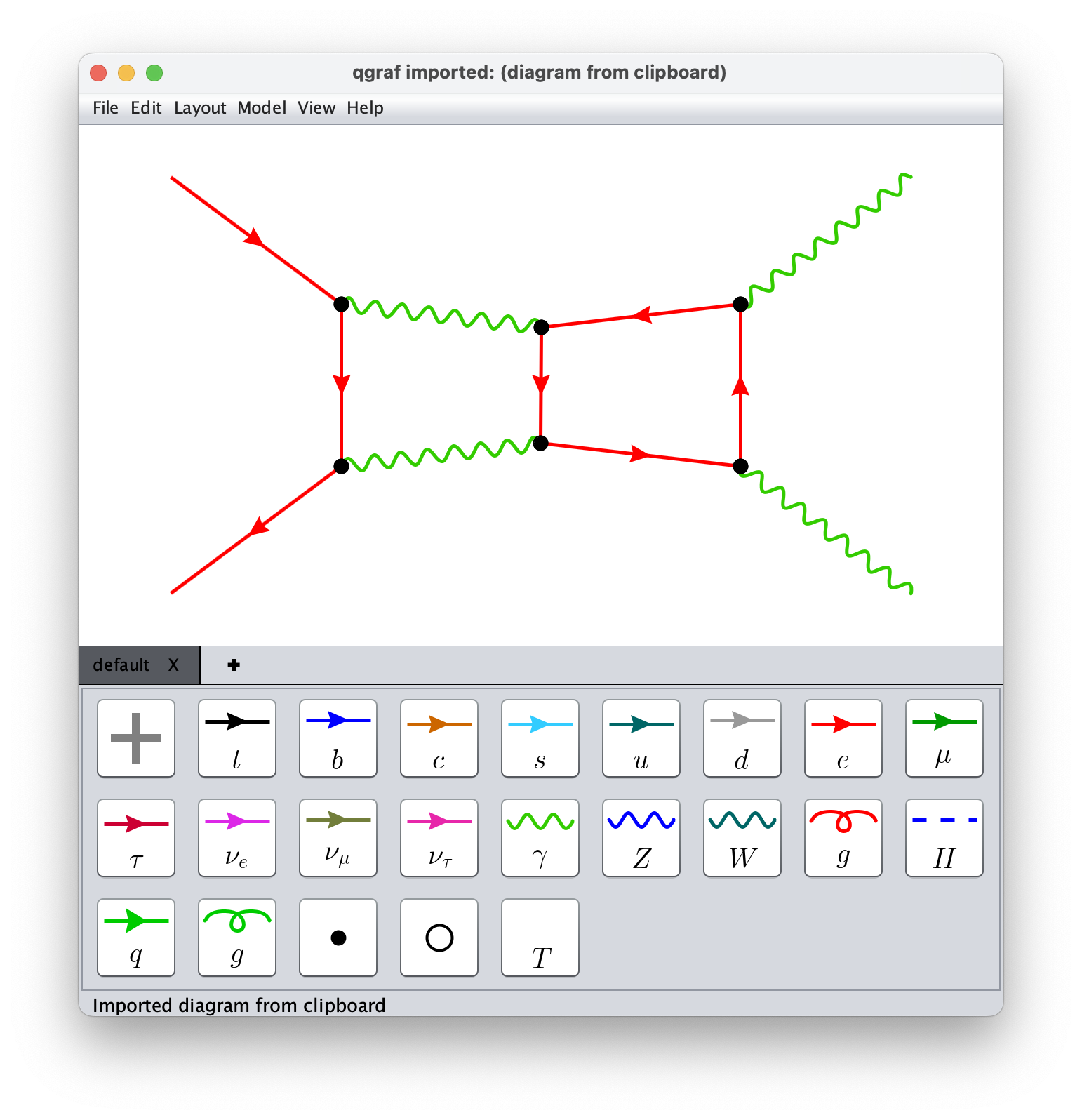
Printed output
{
diagram            1
pre_factor         (+1)*1

number_propagators 4
number_loops       1
number_legs_in     2
number_legs_out    2


external_leg       q1|1|e
external_leg       q2|2|E


external_leg       q3|3|ph
external_leg       q4|4|ph


momentum           p1|2,1|ph,ph
momentum           p2|1,3|E,e
momentum           p3|4,2|E,e
momentum           p4|3,4|E,e
}
qgraf output for a one-loop diagram based on the qgraf-tapir.sty style file, corresponding to Listing 3 in arXiv:2501.04651. Pasting it into the FeynGame canvas should result again in a diagram as shown on the right.
Printed output
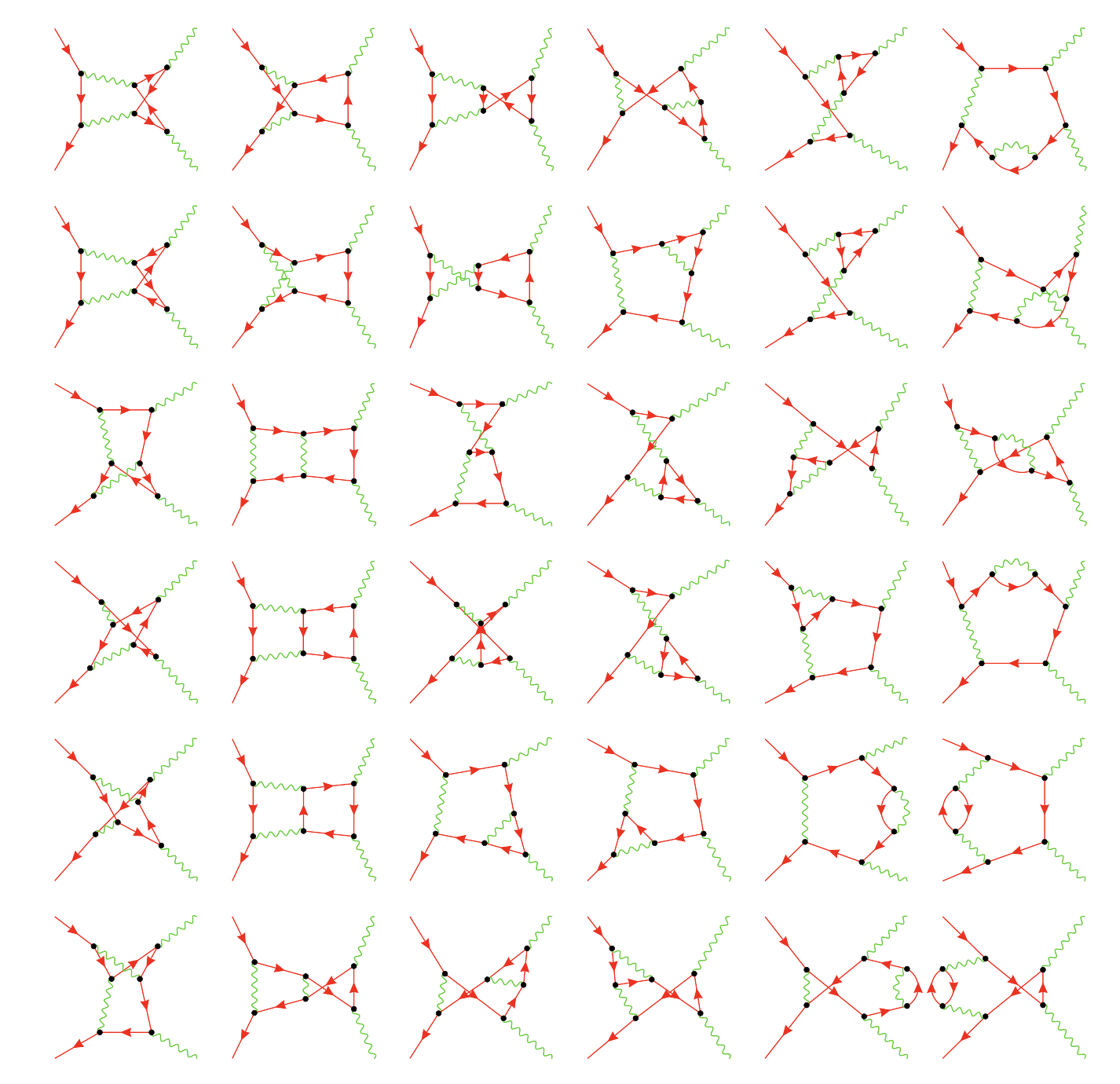
Furthermore, we provide the complete qgraf output file for the full set of two-loop diagrams contributing to electron-positron annihilation into two photons: eegamgam-2l-form.out. Saving this file to your local disk and subsequently reading it into FeynGame using File > Import qgraf will produce all diagrams shown in the image on the right (also Fig. 3 of arXiv:2501.04651). If you select "Load all diagrams" from the subsequent dialog box, FeynGame will display the first diagram; you can then scroll through all of them using Ctrl-left/right (Cmd-left/right on Mac). Using qgraf > Export all diagrams, you can generate an image like the one on the right.
Printed output